Windows OS Hub
  • Windows
    • Windows 11
    • Windows 10
    • Windows Server 2025
    • Windows Server 2022
    • Windows Server 2019
    • Windows Server 2016
  • Microsoft
    • Active Directory (AD DS)
    • Group Policies (GPOs)
    • Exchange Server
    • Azure and Microsoft 365
    • Microsoft Office
  • Virtualization
    • VMware
    • Hyper-V
    • Proxmox
  • PowerShell
  • Linux
  • Home
  • About

Windows OS Hub

  • Windows
    • Windows 11
    • Windows 10
    • Windows Server 2025
    • Windows Server 2022
    • Windows Server 2019
    • Windows Server 2016
  • Microsoft
    • Active Directory (AD DS)
    • Group Policies (GPOs)
    • Exchange Server
    • Azure and Microsoft 365
    • Microsoft Office
  • Virtualization
    • VMware
    • Hyper-V
    • Proxmox
  • PowerShell
  • Linux

Windows Server 2019: Installation and Configuration Tutorials

What Others Are Reading in Windows Server 2019

How to Repair EFI/GPT Bootloader on Windows 10...

March 16, 2024

How to Run Program without Admin Privileges and...

June 8, 2023

How to Repair Windows Boot Manager, BCD and...

March 11, 2024

Refresh AD Groups Membership without Reboot/Logoff

March 15, 2024

Fix: Remote Desktop Licensing Mode is not Configured

August 24, 2023

PowerShell: Get Folder Size on Windows

April 2, 2024

Managing Windows Firewall Rules with PowerShell

March 11, 2024

How to Convert (Upgrade) Windows Server Evaluation to...

March 15, 2024

Protecting Remote Desktop (RDP) Host from Brute Force...

February 5, 2024

How to Find the Source of Account Lockouts...

March 12, 2024

Fix: Can’t Extend Volume in Windows

March 11, 2024

How to Delete Old User Profiles in Windows

March 15, 2024
Active Directory Attribute Editor in ADUC
Active DirectoryWindows 10Windows Server 2019

Using Attribute Editor in Active Directory Users and Computers

August 24, 2022

The Active Directory Attribute Editor is a built-in graphical tool to manage the properties of AD objects (users, computers, groups). It is the Attribute Editor where you can view and…

9 Facebook Twitter Google + Pinterest
large size of folder DriverStore
PowerShellWindows 10Windows 11Windows Server 2019

Remove Old and Useless Drivers from the Windows Driver Store

August 24, 2022

When you install or update device drivers in Windows, older versions of the drivers remain on the system drive. This allows the user to roll back to a previous driver…

10 Facebook Twitter Google + Pinterest
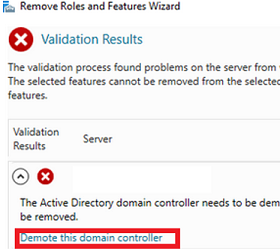
Demote this domain controller
Active DirectoryPowerShellWindows Server 2019

How to Remove (Demote) a Domain Controller in Active Directory

August 16, 2022

In this article, we’ll show how to correctly remove (demote) an Active Directory domain controller on Windows Server 2022/2019/2016/2012R2. When removing a domain controller, usually one of the following scenarios…
6 Facebook Twitter Google + Pinterest
installing OpenVpn Server on Windows
Windows 10Windows Server 2019

How to Install and Configure OpenVPN Server on Windows

July 18, 2022

OpenVPN is an open-source software suite that is one of the most popular and easiest solutions for implementing a secure VPN. OpenVPN allows you to combine a server and clients…

13 Facebook Twitter Google + Pinterest
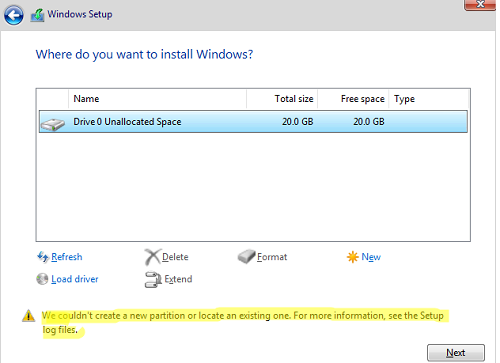
Windows Setup error: We couldn't create a new system partition or locate an existing system partition
Windows 10Windows 11Windows Server 2019

Windows Setup Couldn’t Create a New Partition

July 15, 2022

During a clean installation of Windows 10 on a laptop from the USB flash drive install media, I came across a strange error. When selecting the partition on which to…

5 Facebook Twitter Google + Pinterest
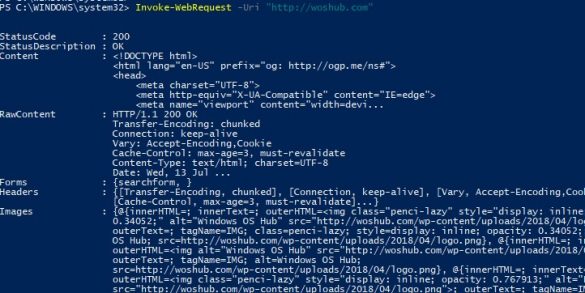
Invoke-WebRequest get webpage content using powershell
PowerShellWindows 10Windows Server 2019

Invoke-WebRequest: Perform HTTP Requests, Download Files, Parse Web with PowerShell

July 13, 2022

The Invoke-WebRequest cmdlet can be used to request HTTP/HTTPS/FTP resources directly from the PowerShell console. You can use this command to send HTTP requests (GET and POST), download files from…

6 Facebook Twitter Google + Pinterest
change port forwarding rule netsh portproxy
PowerShellWindows 10Windows Server 2016Windows Server 2019

Configuring Port Forwarding in Windows

July 13, 2022

You can configure network port forwarding in all Windows versions without using third-party tools. Using a port forwarding rule, you can redirect an incoming TCP connection (IPv4 or IPv6) from…

14 Facebook Twitter Google + Pinterest
run powershell script at windows startup via group policy
Group PoliciesPowerShellWindows 10Windows Server 2019

Running PowerShell Startup (Logon) Scripts Using GPO

July 8, 2022

Windows Group Policy allows you to run various script files at a computer startup/shutdown or during user logon/logoff. You can use GPOs not only to run classic batch logon scripts…

10 Facebook Twitter Google + Pinterest
nltest DSGETDC
Active DirectoryWindows 10Windows Server 2019

Find Domain Controller (Logon Server) You Authenticated to

July 8, 2022

Sometimes you may want to find out which domain controller your computer is authenticated to (your Logon Server). This can come in handy when there are issues applying Group Policies…

5 Facebook Twitter Google + Pinterest
can't connect to the Internet from PowerShell over the authenticated proxy server
PowerShellWindows 10Windows 11Windows Server 2019Windows Server 2022

Using PowerShell Behind a Proxy Server

July 1, 2022

If your computer is on a corporate network behind a proxy server, by default you won’t be able to access external web resources from your PowerShell CLI. For example, you…

12 Facebook Twitter Google + Pinterest
  • 1
  • …
  • 12
  • 13
  • 14
  • 15
  • 16
  • …
  • 28
join us telegram channel https://t.me/woshub
Join WindowsHub Telegram channel to get the latest updates!

Recent Posts

  • Inactive TS Ports in Windows: Causes and Fixes

    July 20, 2026
  • Add Wireless Wi-Fi Profiles on Windows Devices via Export/Import or GPO

    July 13, 2026
  • CrowdSec on Windows: From Installation to Threat Blocking

    July 3, 2026
  • Manage Microsoft Store Apps with Store CLI in Windows 11 from Terminal

    July 2, 2026
  • Windows Sandbox on Windows 11: Enable, Configure, and Use

    June 10, 2026
  • How to Monitor Windows Machines with Zabbix

    May 26, 2026
  • Fixing Duplicate Security Identifier (SID) Issues in Windows

    May 25, 2026
  • Monitor a Folder for File Changes Using PowerShell and FileSystemWatcher

    May 15, 2026
  • Protect Windows Server from DDoS and Brute-Force Attacks with IPBan

    May 12, 2026
  • How to Force Uninstall ANY Stubborn Program in Windows

    May 7, 2026

Follow us

  • Facebook
  • Twitter
  • Youtube
  • Telegram
Popular Posts
  • Configure Google Chrome Settings with Group Policy
  • Get-ADUser: Find Active Directory User Info with PowerShell
  • Allow Non-admin Users RDP Access to Windows Server
  • How to Find the Source of Account Lockouts in Active Directory
  • How to Disable or Enable USB Drives in Windows using Group Policy
  • Get-ADComputer: Find Computer Properties in Active Directory with PowerShell
  • Configuring Proxy Settings on Windows Using Group Policy Preferences
Footer Logo

@2014 - 2026 - Windows OS Hub. All about operating systems for sysadmins


Back To Top