Windows OS Hub
  • Windows
    • Windows 11
    • Windows 10
    • Windows Server 2025
    • Windows Server 2022
    • Windows Server 2019
    • Windows Server 2016
  • Microsoft
    • Active Directory (AD DS)
    • Group Policies (GPOs)
    • Exchange Server
    • Azure and Microsoft 365
    • Microsoft Office
  • Virtualization
    • VMware
    • Hyper-V
    • Proxmox
  • PowerShell
  • Linux
  • Home
  • About

Windows OS Hub

  • Windows
    • Windows 11
    • Windows 10
    • Windows Server 2025
    • Windows Server 2022
    • Windows Server 2019
    • Windows Server 2016
  • Microsoft
    • Active Directory (AD DS)
    • Group Policies (GPOs)
    • Exchange Server
    • Azure and Microsoft 365
    • Microsoft Office
  • Virtualization
    • VMware
    • Hyper-V
    • Proxmox
  • PowerShell
  • Linux

Windows Server 2019: Installation and Configuration Tutorials

What Others Are Reading in Windows Server 2019

How to Repair EFI/GPT Bootloader on Windows 10...

March 16, 2024

How to Run Program without Admin Privileges and...

June 8, 2023

How to Repair Windows Boot Manager, BCD and...

March 11, 2024

Refresh AD Groups Membership without Reboot/Logoff

March 15, 2024

Fix: Remote Desktop Licensing Mode is not Configured

August 24, 2023

PowerShell: Get Folder Size on Windows

April 2, 2024

Managing Windows Firewall Rules with PowerShell

March 11, 2024

How to Convert (Upgrade) Windows Server Evaluation to...

March 15, 2024

Protecting Remote Desktop (RDP) Host from Brute Force...

February 5, 2024

How to Find the Source of Account Lockouts...

March 12, 2024

How to Delete Old User Profiles in Windows

March 15, 2024

How to Enable Wireless Network (Wi-Fi) on Windows...

March 16, 2026
PowerShell function to check Windows activation on computers in Active Directory domain
Active DirectoryPowerShellWindows 10Windows Server 2019

Checking Windows Activation Status on Active Directory Computers

June 27, 2022

In this article, we’ll show how to make sure your Windows copy is activated on the computer and check the Windows activation status from all computers in your Active Directory…

7 Facebook Twitter Google + Pinterest
add a new VLAN on Windows using Intel PROSet Adapter Configuration Utility
PowerShellWindows 10Windows 11Windows Server 2019Windows Server 2022

Configuring Multiple VLAN Interfaces on Windows

June 24, 2022

In this article, we’ll show how to configure a tagged VLAN interface on Windows 10/11 and Windows Server 2019 (2022/2016/2012R2). The VLAN (Virtual LAN) specification is described in the IEEE…

8 Facebook Twitter Google + Pinterest
gpo to disable usbstor driver on domain computers
Active DirectoryGroup PoliciesPowerShellWindows 10Windows 11Windows Server 2019

How to Disable or Enable USB Drives in Windows using Group Policy

June 24, 2022

When you connect a new USB device to your computer, Windows automatically detects the device and installs the appropriate driver. As a result, the user can use the connected USB…

1 Facebook Twitter Google + Pinterest
enable public key authetication in openssh on windows
Windows 10Windows 11Windows Server 2019Windows Server 2022

Configuring SSH Public Key Authentication on Windows

June 15, 2022

In this article, we will show how to configure SSH authentication in Windows using RSA or EdDSA keys.  Let’s see how to generate public and private key pair on Windows…

14 Facebook Twitter Google + Pinterest
Run as different user option
Windows 10Windows 11Windows Server 2019

How to Run a Program as a Different User (RunAs) in Windows

June 15, 2022

Any Windows user can run a program in his current session on behalf of another user using RunAs. This allows you to run a script (.bat, .cmd, .vbs, .ps1), an…
15 Facebook Twitter Google + Pinterest
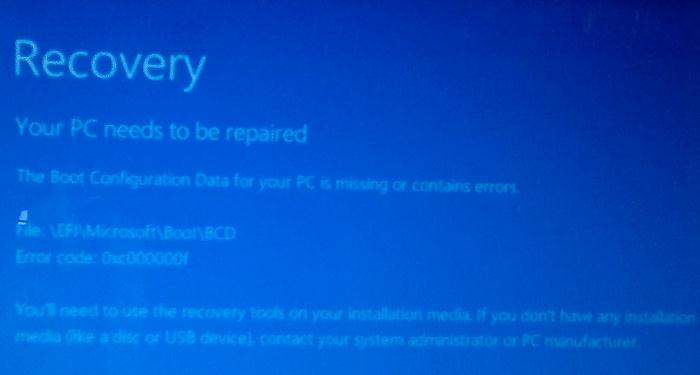
boot configuration errors 0xc000000f or missing file \EFI\Microsoft\Boot\BCD
Windows 10Windows 11Windows Server 2019

How to Repair EFI/GPT Bootloader on Windows 10 or 11

June 14, 2022

In this article, we will learn how to repair the Windows bootloader on a modern computer that uses UEFI instead of a classic BIOS and GPT disk partition table (instead…
165 Facebook Twitter Google + Pinterest
approve update in wsus manually
PowerShellWindows Server 2016Windows Server 2019

How to Approve and Deploy Updates in WSUS

June 14, 2022

One of the main tasks of a WSUS administrator (Windows Server Update Services) is to manage the approval of updates to be installed on Windows computers and servers. In this…
3 Facebook Twitter Google + Pinterest
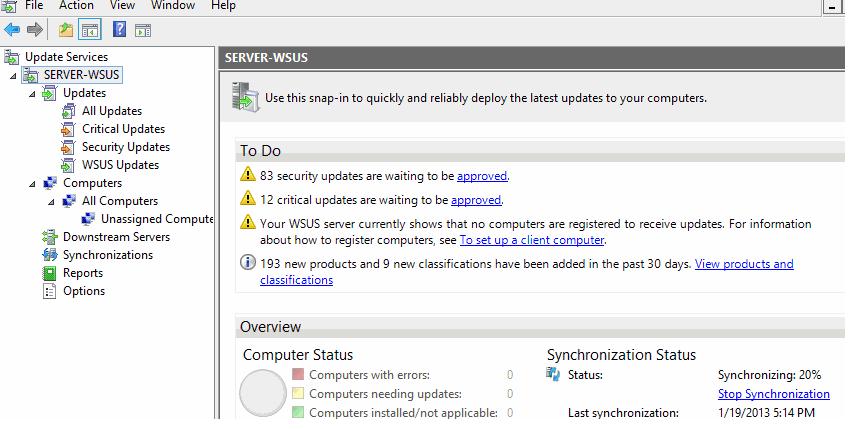
Update Service console
Windows Server 2016Windows Server 2019Windows Server 2022

Tutorial: Install and Configure WSUS on Windows Server 2022/2019

June 7, 2022

You can use the Windows Server Update Services (WSUS) update server to deploy Microsoft product updates (Windows, Office, SQL Server, Exchange, etc.) to computers and servers in the company’s local…
5 Facebook Twitter Google + Pinterest
bulk create new active-directory user from csv file with powershell script
Active DirectoryPowerShellWindows Server 2019

Creating New User Accounts in Active Directory with ADUC and PowerShell

June 7, 2022

In this article, we’ll look at how to create new users in an Active Directory domain. You can create new user accounts in your domain using the graphical MMC snap-ins (…
5 Facebook Twitter Google + Pinterest
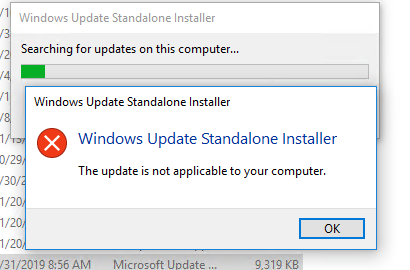
Windows Update Standalone Installer: The update is not applicable to your computer
PowerShellWindows 10Windows 11Windows Server 2019

The update is not applicable to your computer: Windows Update Error

June 6, 2022

When manually installing MSU updates on Windows computers and servers, you may receive an error: Windows Update Standalone Installer: Searching for updates on this computer. This problem most often occurs…
4 Facebook Twitter Google + Pinterest
  • 1
  • …
  • 13
  • 14
  • 15
  • 16
  • 17
  • …
  • 28
join us telegram channel https://t.me/woshub
Join WindowsHub Telegram channel to get the latest updates!

Recent Posts

  • Inactive TS Ports in Windows: Causes and Fixes

    July 20, 2026
  • Add Wireless Wi-Fi Profiles on Windows Devices via Export/Import or GPO

    July 13, 2026
  • CrowdSec on Windows: From Installation to Threat Blocking

    July 3, 2026
  • Manage Microsoft Store Apps with Store CLI in Windows 11 from Terminal

    July 2, 2026
  • Windows Sandbox on Windows 11: Enable, Configure, and Use

    June 10, 2026
  • How to Monitor Windows Machines with Zabbix

    May 26, 2026
  • Fixing Duplicate Security Identifier (SID) Issues in Windows

    May 25, 2026
  • Monitor a Folder for File Changes Using PowerShell and FileSystemWatcher

    May 15, 2026
  • Protect Windows Server from DDoS and Brute-Force Attacks with IPBan

    May 12, 2026
  • How to Force Uninstall ANY Stubborn Program in Windows

    May 7, 2026

Follow us

  • Facebook
  • Twitter
  • Youtube
  • Telegram
Popular Posts
  • Configure Google Chrome Settings with Group Policy
  • Get-ADUser: Find Active Directory User Info with PowerShell
  • Allow Non-admin Users RDP Access to Windows Server
  • How to Find the Source of Account Lockouts in Active Directory
  • How to Disable or Enable USB Drives in Windows using Group Policy
  • Get-ADComputer: Find Computer Properties in Active Directory with PowerShell
  • Configuring Proxy Settings on Windows Using Group Policy Preferences
Footer Logo

@2014 - 2026 - Windows OS Hub. All about operating systems for sysadmins


Back To Top