Windows OS Hub
  • Windows
    • Windows 11
    • Windows 10
    • Windows Server 2025
    • Windows Server 2022
    • Windows Server 2019
    • Windows Server 2016
  • Microsoft
    • Active Directory (AD DS)
    • Group Policies (GPOs)
    • Exchange Server
    • Azure and Microsoft 365
    • Microsoft Office
  • Virtualization
    • VMware
    • Hyper-V
    • Proxmox
  • PowerShell
  • Linux
  • Home
  • About

Windows OS Hub

  • Windows
    • Windows 11
    • Windows 10
    • Windows Server 2025
    • Windows Server 2022
    • Windows Server 2019
    • Windows Server 2016
  • Microsoft
    • Active Directory (AD DS)
    • Group Policies (GPOs)
    • Exchange Server
    • Azure and Microsoft 365
    • Microsoft Office
  • Virtualization
    • VMware
    • Hyper-V
    • Proxmox
  • PowerShell
  • Linux

Windows Server 2019: Installation and Configuration Tutorials

What Others Are Reading in Windows Server 2019

How to Repair EFI/GPT Bootloader on Windows 10...

March 16, 2024

How to Run Program without Admin Privileges and...

June 8, 2023

Refresh AD Groups Membership without Reboot/Logoff

March 15, 2024

Fix: Remote Desktop Licensing Mode is not Configured

August 24, 2023

How to Repair Windows Boot Manager, BCD and...

March 11, 2024

PowerShell: Get Folder Size on Windows

April 2, 2024

Managing Windows Firewall Rules with PowerShell

March 11, 2024

How to Convert (Upgrade) Windows Server Evaluation to...

March 15, 2024

How to Find the Source of Account Lockouts...

March 12, 2024

Protecting Remote Desktop (RDP) Host from Brute Force...

February 5, 2024

How to Enable and Configure Hyper-V Remote Management

June 8, 2023

How to Enable Wireless Network (Wi-Fi) on Windows...

March 16, 2026
compressed memory usage in windows 10
Windows 10Windows 11Windows Server 2019Windows Server 2022

Memory Compression Process: High Memory and CPU Usage in Windows 10 and 11

January 18, 2022

The Memory Compression feature in Windows 10 and 11 is used to optimize physical RAM utilization by compressing some of the pages in RAM. By using process memory compression, you…

8 Facebook Twitter Google + Pinterest
DISM /Online /Cleanup-Image /RestoreHealth - The restore operation completed successfully
Windows 10Windows 11Windows Server 2016Windows Server 2019

Using DISM to Check and Repair Windows Image

December 29, 2021

You can use the SFC (System File Checker) and DISM (Deployment Image Servicing and Management) commands to check and repair the integrity of system files and Component Store of your…

16 Facebook Twitter Google + Pinterest
install Remote Desktop Session Host on Windows Server 2019
PowerShellWindows Server 2019Windows Server 2022

Install Remote Desktop Services Host (RDS) without Domain (in a Workgroup)

December 13, 2021

This article explains how to install and configure the Remote Desktop Session Host terminal server role on a standalone Windows Server 2022/2019 in a workgroup (without an Active Directory domain)…

10 Facebook Twitter Google + Pinterest
Genereate GPResult html report
Active DirectoryGroup PoliciesWindows 10Windows Server 2019

Using GPResult Command to Check Applied GPOs and RSoP Data

December 13, 2021

The GPResult.exe command-line tool is used to get a Resultant Set of Policy (RSoP) that is applied to a user and/or computer in an Active Directory domain. GPResult allows you…

8 Facebook Twitter Google + Pinterest
New Availability Group Wizard
SQL ServerWindows Server 2019

Configuring Always-On High Availability Groups on SQL Server

December 2, 2021

In this article, we’ll walk you through a step-by-step guide on how to install and configure Always On Availability Groups on SQL Server running on Windows Server 2019, discuss failover…

1 Facebook Twitter Google + Pinterest
powershell create registry parameter
PowerShellWindows 10Windows Server 2019

PowerShell: Get, Modify, Create, and Remove Registry Keys or Parameters

November 23, 2021

The Registry Editor (regedit.exe) and the reg.exe command-line utilities aren’t the only tools to access and manage the registry in Windows. PowerShell provides a large number of tools for the…

4 Facebook Twitter Google + Pinterest
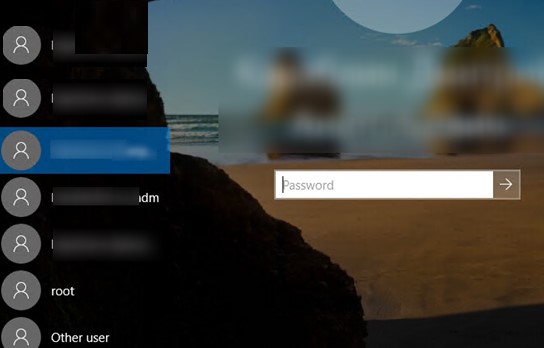
show logged domain user on windows 10 login screen
Group PoliciesWindows 10Windows 11Windows Server 2019

How to Hide or Show User Accounts from Login Screen on Windows

November 18, 2021

By default, the Windows login screen displays the account of the last user who logged on to this computer and a list of all local users. Windows allows you to…
14 Facebook Twitter Google + Pinterest
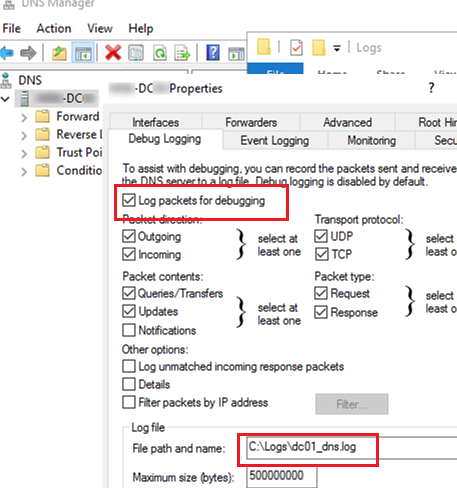
Enabling Active Directory DNS query logging on Windows Server
Active DirectoryPowerShellWindows Server 2016Windows Server 2019

How to Enable DNS Query Logging and Parse Log File on Windows Server

November 18, 2021

In this article, we’ll show how to enable DNS logging for all user queries on a DNS server running Windows Server, how to parse and analyze DNS logs. I faced…

7 Facebook Twitter Google + Pinterest
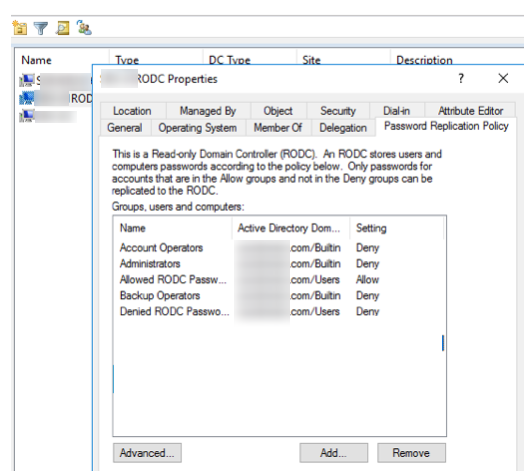
RODC - configure password replication policy
Active DirectoryPowerShellWindows Server 2019Windows Server 2022

Install and Configure a Read-Only Domain Controller (RODC) on Windows Server 2019/2022

November 17, 2021

The read-only domain controller (RODC) feature was first introduced in Windows Server 2008. The main purpose of the RODC is the secure installation of the own domain controller in remote…

7 Facebook Twitter Google + Pinterest
PhysicalDisk - health status powershell
PowerShellWindows 10Windows Server 2019

Checking Hard Drive Health (SMART) in Windows

November 12, 2021

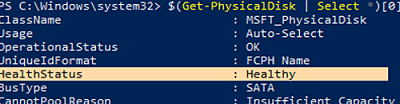
Current Windows versions collect information about the health of hard drives in your computer via SMART and may notify a user in case of any problems. Let’s see what a…

11 Facebook Twitter Google + Pinterest
  • 1
  • …
  • 17
  • 18
  • 19
  • 20
  • 21
  • …
  • 28
join us telegram channel https://t.me/woshub
Join WindowsHub Telegram channel to get the latest updates!

Recent Posts

  • Invalid Signature Detected: Check Secure Boot Policy [Fix]

    August 5, 2026
  • Windows Installer Service Could Not Be Accessed? How to Fix It

    July 28, 2026
  • Why Windows Reports No Internet Access: How Connectivity Detection Works

    July 26, 2026
  • Inactive TS Ports in Windows: Causes and Fixes

    July 20, 2026
  • Add Wireless Wi-Fi Profiles on Windows Devices via Export/Import or GPO

    July 13, 2026
  • CrowdSec on Windows: From Installation to Threat Blocking

    July 3, 2026
  • Manage Microsoft Store Apps with Store CLI in Windows 11 from Terminal

    July 2, 2026
  • Windows Sandbox on Windows 11: Enable, Configure, and Use

    June 10, 2026
  • How to Monitor Windows Machines with Zabbix

    May 26, 2026
  • Fixing Duplicate Security Identifier (SID) Issues in Windows

    May 25, 2026

Follow us

  • Facebook
  • Twitter
  • Youtube
  • Telegram
Popular Posts
  • How to Allow Multiple RDP Sessions on Windows 11 and 10
  • How to Repair EFI/GPT Bootloader on Windows 10 or 11
  • How to Restore Deleted EFI System Partition in Windows
  • Network Computers are not Showing Up in Windows 10/11
  • How to Run Program without Admin Privileges and Bypass UAC Prompt
  • Fix: BSOD Error 0x0000007B (INACCESSABLE_BOOT_DEVICE) on Windows
  • Install and Manage Windows Updates with PowerShell (PSWindowsUpdate)
Footer Logo

@2014 - 2026 - Windows OS Hub. All about operating systems for sysadmins


Back To Top