Windows OS Hub
  • Windows
    • Windows 11
    • Windows 10
    • Windows Server 2025
    • Windows Server 2022
    • Windows Server 2019
    • Windows Server 2016
  • Microsoft
    • Active Directory (AD DS)
    • Group Policies (GPOs)
    • Exchange Server
    • Azure and Microsoft 365
    • Microsoft Office
  • Virtualization
    • VMware
    • Hyper-V
    • Proxmox
  • PowerShell
  • Linux
  • Home
  • About

Windows OS Hub

  • Windows
    • Windows 11
    • Windows 10
    • Windows Server 2025
    • Windows Server 2022
    • Windows Server 2019
    • Windows Server 2016
  • Microsoft
    • Active Directory (AD DS)
    • Group Policies (GPOs)
    • Exchange Server
    • Azure and Microsoft 365
    • Microsoft Office
  • Virtualization
    • VMware
    • Hyper-V
    • Proxmox
  • PowerShell
  • Linux

Windows Server 2019: Installation and Configuration Tutorials

What Others Are Reading in Windows Server 2019

How to Repair EFI/GPT Bootloader on Windows 10...

March 16, 2024

How to Restore Deleted EFI System Partition in...

March 11, 2024

How to Run Program without Admin Privileges and...

June 8, 2023

How to Repair Windows Boot Manager, BCD and...

March 11, 2024

Refresh AD Groups Membership without Reboot/Logoff

March 15, 2024

Fix: Remote Desktop Licensing Mode is not Configured

August 24, 2023

PowerShell: Get Folder Size on Windows

April 2, 2024

Managing Windows Firewall Rules with PowerShell

March 11, 2024

How to Convert (Upgrade) Windows Server Evaluation to...

March 15, 2024

Protecting Remote Desktop (RDP) Host from Brute Force...

February 5, 2024

How to Find the Source of Account Lockouts...

March 12, 2024

How to Delete Old User Profiles in Windows

March 15, 2024
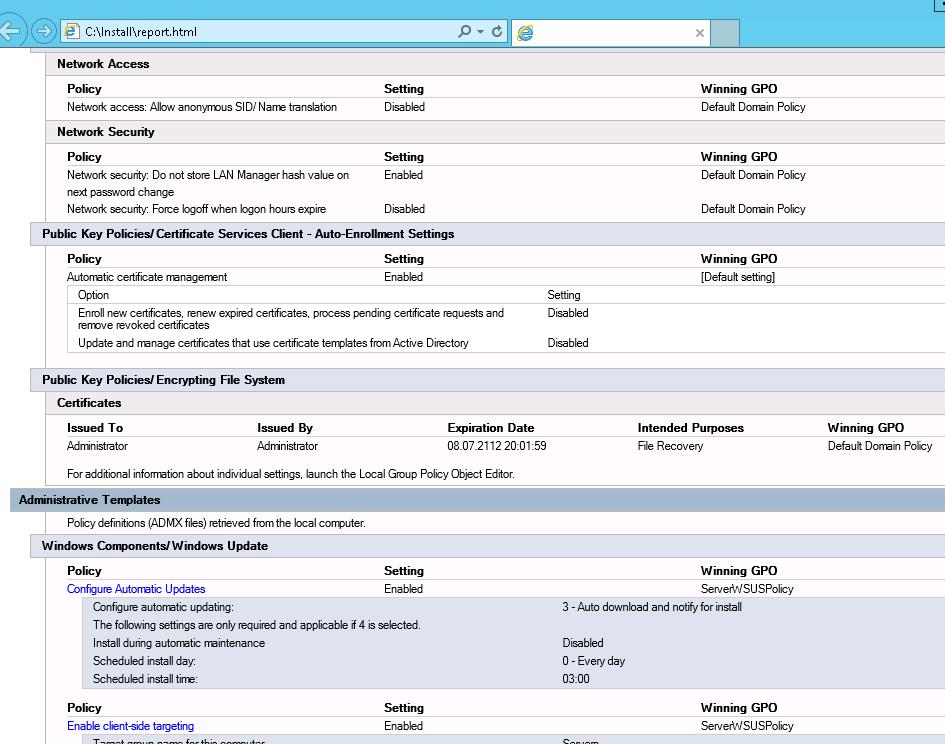
Policy Definitions (ADMX files) retrieved from the central store
Active DirectoryGroup PoliciesWindows 10Windows Server 2019

Configuring Central Store for Group Policy ADMX Templates

March 11, 2022

The Group Policy Central Store is located in the SYSVOL directory on the domain controllers, replicated between them, and used to store ADMX/ADML GPO template files used to manage Active…

5 Facebook Twitter Google + Pinterest
ADUC delegate control wizard
Active DirectoryPowerShellWindows Server 2019

Delegating Administrative Permissions in Active Directory

March 11, 2022

In this article, we’ll look at how to delegate administrative permissions in the Active Directory domain. Delegation allows you to grant the permissions to perform some AD management tasks to…

6 Facebook Twitter Google + Pinterest
Error: "The application has failed to start because the side by side configuration is incorrect" then starting program in Windows
Windows 10Windows Server 2019

The Application Failed To Start Because Its Side-by-Side Configuration is Incorrect

February 16, 2022

If you see the “The application has failed to start because its side-by-side configuration is incorrect” error when trying to start an app in Windows, this means that the program…

4 Facebook Twitter Google + Pinterest
get updates from Microsoft Update for additional microsoft products
PowerShellWindows 10Windows 11Windows Server 2019Windows Server 2022

Install and Manage Windows Updates with PowerShell (PSWindowsUpdate)

February 16, 2022

You can use the PSWindowsUpdate PowerShell module to manage Windows Updates from the command line. PSWindowsUpdate module is available for download from the PowerShell Gallery and allows administrators to scan,…

18 Facebook Twitter Google + Pinterest
install self signed driver on windows
Windows 10Windows 11Windows Server 2019

How to Sign an Unsigned Device Driver in Windows

February 14, 2022

By default, all 64-bit Windows versions prevent the installation of device drivers that are not signed with a valid digital signature. Unsigned drivers are blocked by the operating system. A…

12 Facebook Twitter Google + Pinterest
enable SR-IOV for a Hyper-V VM in Hardware Acceleration settings
Hyper-VPowerShellVirtualizationWindows Server 2019

Configure SR-IOV for Hyper-V Virtual Machines on Windows Server

February 11, 2022

SR-IOV (Single Root Input/Output Virtualization) is a host hardware device virtualization technology that allows virtual machines to have direct access to host devices. It can virtualize different types of devices,…

10 Facebook Twitter Google + Pinterest
bootsect.exe /nt60 all /force
Windows 10Windows 11Windows Server 2019

How to Repair Windows Boot Manager, BCD and Master Boot Record (MBR)

February 10, 2022

The Boot Manager in modern Windows versions uses the BCD (Boot Configuration Data) file to boot the operating system installed on the computer. This file contains information about the installed…

34 Facebook Twitter Google + Pinterest
show logged on username in computer description filed in ADUC
Active DirectoryGroup PoliciesPowerShellWindows Server 2019

Add Last Logged On Username to Computer Description in AD

February 9, 2022

You can store various useful information in the description of computer objects in Active Directory. For example, information about the computer model, hardware inventory, or the last logged-on username. In…

4 Facebook Twitter Google + Pinterest
UserAccountControl user attribute in active directory attribute editor
Active DirectoryPowerShellWindows Server 2019

Converting UserAccountControl Attribute Values in Active Directory

February 8, 2022

UserAccountControl is one of the most important attributes of the user and computer objects in Active Directory. This attribute determines the state of the account in the AD domain: whether…

3 Facebook Twitter Google + Pinterest
generate a self-signed ssl certificate using powershell
PowerShellWindows 10Windows Server 2019

Configuring PowerShell Remoting (WinRM) over HTTPS

February 1, 2022

By default, traffic in a PowerShell Remoting session is encrypted no matter whether HTTP (TCP/5985) or HTTPS (TCP/5986) transport protocol is used. Anyway, all traffic is encrypted using the AES-256…
6 Facebook Twitter Google + Pinterest
  • 1
  • …
  • 16
  • 17
  • 18
  • 19
  • 20
  • …
  • 29
join us telegram channel https://t.me/woshub
Join WindowsHub Telegram channel to get the latest updates!

Recent Posts

  • How to Force Uninstall ANY Stubborn Program in Windows

    May 7, 2026
  • How to Safely Disable IPv6 on Windows

    April 30, 2026
  • Updating UEFI Secure Boot Certificates on Windows Devices Explained

    April 20, 2026
  • Security Warnings When Opening RDP Files in Windows 11

    April 17, 2026
  • Find Computers with Pending Reboot Status Using PowerShell

    April 15, 2026
  • Mounting NFS Shares in Windows Using the Built-in Client

    March 26, 2026
  • Monitor Windows Log Files in Real Time with PowerShell

    March 17, 2026
  • Pin and Unpin Apps to Taskbar in Windows 11 via PowerShell

    March 10, 2026
  • Load and Initialize Network Drivers in Windows PE or Recovery Environment

    February 25, 2026
  • How to Set a Custom Drive Icon in Windows

    February 17, 2026

Follow us

  • Facebook
  • Twitter
  • Youtube
  • Telegram
Popular Posts
  • Configure Google Chrome Settings with Group Policy
  • Get-ADUser: Find Active Directory User Info with PowerShell
  • Allow Non-admin Users RDP Access to Windows Server
  • How to Find the Source of Account Lockouts in Active Directory
  • How to Disable or Enable USB Drives in Windows using Group Policy
  • Get-ADComputer: Find Computer Properties in Active Directory with PowerShell
  • Configuring Proxy Settings on Windows Using Group Policy Preferences
Footer Logo

@2014 - 2026 - Windows OS Hub. All about operating systems for sysadmins


Back To Top