Windows OS Hub
  • Windows
    • Windows 11
    • Windows 10
    • Windows Server 2025
    • Windows Server 2022
    • Windows Server 2019
    • Windows Server 2016
  • Microsoft
    • Active Directory (AD DS)
    • Group Policies (GPOs)
    • Exchange Server
    • Azure and Microsoft 365
    • Microsoft Office
  • Virtualization
    • VMware
    • Hyper-V
    • Proxmox
  • PowerShell
  • Linux
  • Home
  • About

Windows OS Hub

  • Windows
    • Windows 11
    • Windows 10
    • Windows Server 2025
    • Windows Server 2022
    • Windows Server 2019
    • Windows Server 2016
  • Microsoft
    • Active Directory (AD DS)
    • Group Policies (GPOs)
    • Exchange Server
    • Azure and Microsoft 365
    • Microsoft Office
  • Virtualization
    • VMware
    • Hyper-V
    • Proxmox
  • PowerShell
  • Linux

Windows Server 2019: Installation and Configuration Tutorials

What Others Are Reading in Windows Server 2019

How to Repair EFI/GPT Bootloader on Windows 10...

March 16, 2024

How to Restore Deleted EFI System Partition in...

March 11, 2024

How to Run Program without Admin Privileges and...

June 8, 2023

How to Repair Windows Boot Manager, BCD and...

March 11, 2024

Refresh AD Groups Membership without Reboot/Logoff

March 15, 2024

Fix: Remote Desktop Licensing Mode is not Configured

August 24, 2023

PowerShell: Get Folder Size on Windows

April 2, 2024

Managing Windows Firewall Rules with PowerShell

March 11, 2024

How to Convert (Upgrade) Windows Server Evaluation to...

March 15, 2024

How to Find the Source of Account Lockouts...

March 12, 2024

Protecting Remote Desktop (RDP) Host from Brute Force...

February 5, 2024

Fix: Can’t Extend Volume in Windows

March 11, 2024
PowerShellWindows 10Windows Server 2019

PowerShell Install-Module Error: Unable to Download from URI

April 21, 2022

In earlier Windows versions (Windows 8.1, Windows Server 2012 R2), you may see the Unable to download from URI error when trying to install modules from the PowerShell Gallery using…

7 Facebook Twitter Google + Pinterest
disable automatic restart on system failure on windows 11
Windows 10Windows 11Windows Server 2019

Disable Automatic Restart on System Failure in Windows 10/11

April 5, 2022

Windows has a built-in feature that automatically restarts the operating system in the event of a system failure. This option is enabled by default and allows Windows to automatically restart…

1 Facebook Twitter Google + Pinterest
GPO: Run a logon script once a new user logs on
Active DirectoryGroup PoliciesWindows 10Windows Server 2019

How to Run GPO Logon Script Only Once

April 5, 2022

GPO logon scripts allow you to run a BAT or PowerShell script at computer startup or user logon/logoff. In some cases, an administrator wants a particular script (command/program) to be…

2 Facebook Twitter Google + Pinterest
Configure NIC Teaming additional properties (load balancing mode, standby)
PowerShellWindows 10Windows 11Windows Server 2016Windows Server 2019

How to Configure NIC Teaming on Windows Server 2019/2016 and Windows 10

March 29, 2022

NIC Teaming (or Load Balancing/Failover – LBFO, or NIC bonding) allows joining multiple physical network adapters (NICs) into a single logical network card. In this article, we’ll show how to…

3 Facebook Twitter Google + Pinterest
allow remote users to chage password on rd web access
Windows Server 2016Windows Server 2019

How to Change Expired Password via Remote Desktop Web Access on Windows Server

March 23, 2022

In this article, we’ll show how your remote users can change their expired passwords using a special web form on a Remote Desktop Services (RDS) server with the RD Web…

6 Facebook Twitter Google + Pinterest
RD Connection Broker - COnfigure High Availability
PowerShellWindows Server 2019Windows Server 2022

Configuring RDS Connection Broker High Availability on Windows Server

March 21, 2022

Remote Desktop Connection Broker (RDCB) is a component of the Remote Desktop Services (RDS) role in Windows Server. RD Connection Broker allows you to load-balance the RDS farm servers (when…

10 Facebook Twitter Google + Pinterest
powershell: list todays rdp logons with an ip and username
PowerShellWindows Server 2016Windows Server 2019

Tracking and Analyzing Remote Desktop Connection Logs in Windows

March 18, 2022

In this article, we’ll describe how to get and audit the RDP connection logs in Windows. The RDP connection logs allow RDS terminal server administrators to get information about which…

14 Facebook Twitter Google + Pinterest
hyper-v create vm powershell
Hyper-VPowerShellVirtualizationWindows 10Windows Server 2019

Managing Hyper-V Virtual Machines with PowerShell

March 15, 2022

This article is about managing Hyper-V virtual machines from the PowerShell console. We’ll look at how to create virtual switches and virtual machines, change VM settings, and manage VMs. You…

5 Facebook Twitter Google + Pinterest
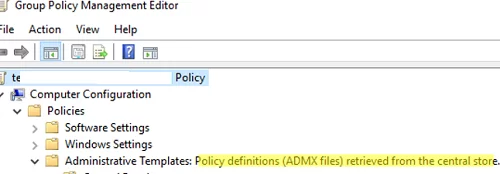
restore iis config files from a backup with appcmd
PowerShellWindows Server 2016Windows Server 2019

How to Backup and Restore Websites and IIS configuration

March 15, 2022

In this article, we’ll look at how to backup websites, application pools, and IIS web server configuration on Windows Server. You can use an Internet Information Services backup to restore…
17 Facebook Twitter Google + Pinterest
Policy Definitions (ADMX files) retrieved from the central store
Active DirectoryGroup PoliciesWindows 10Windows Server 2019

Configuring Central Store for Group Policy ADMX Templates

March 11, 2022

The Group Policy Central Store is located in the SYSVOL directory on the domain controllers, replicated between them, and used to store ADMX/ADML GPO template files used to manage Active…

5 Facebook Twitter Google + Pinterest
  • 1
  • …
  • 15
  • 16
  • 17
  • 18
  • 19
  • …
  • 29
join us telegram channel https://t.me/woshub
Join WindowsHub Telegram channel to get the latest updates!

Recent Posts

  • How to Monitor Windows Machines with Zabbix

    May 26, 2026
  • Fixing Duplicate Security Identifier (SID) Issues in Windows

    May 25, 2026
  • Monitor a Folder for File Changes Using PowerShell and FileSystemWatcher

    May 15, 2026
  • Protect Windows Server from DDoS and Brute-Force Attacks with IPBan

    May 12, 2026
  • How to Force Uninstall ANY Stubborn Program in Windows

    May 7, 2026
  • How to Safely Disable IPv6 on Windows

    April 30, 2026
  • Updating UEFI Secure Boot Certificates on Windows Devices Explained

    April 20, 2026
  • Security Warnings When Opening RDP Files in Windows 11

    April 17, 2026
  • Find Computers with Pending Reboot Status Using PowerShell

    April 15, 2026
  • Mounting NFS Shares in Windows Using the Built-in Client

    March 26, 2026

Follow us

  • Facebook
  • Twitter
  • Youtube
  • Telegram
Popular Posts
  • Install and Manage Windows Updates with PowerShell (PSWindowsUpdate)
  • How to Download Offline Installer (APPX/MSIX) for Microsoft Store App
  • How to Update Trusted Root Certificates in Windows: Manual and Automatic Methods Explained
  • Fix: Remote Desktop Licensing Mode is not Configured
  • How to Delete Old User Profiles in Windows
  • Configuring Port Forwarding in Windows
  • How to Install RSAT (Remote Server Administration Tools) on Windows
Footer Logo

@2014 - 2026 - Windows OS Hub. All about operating systems for sysadmins


Back To Top